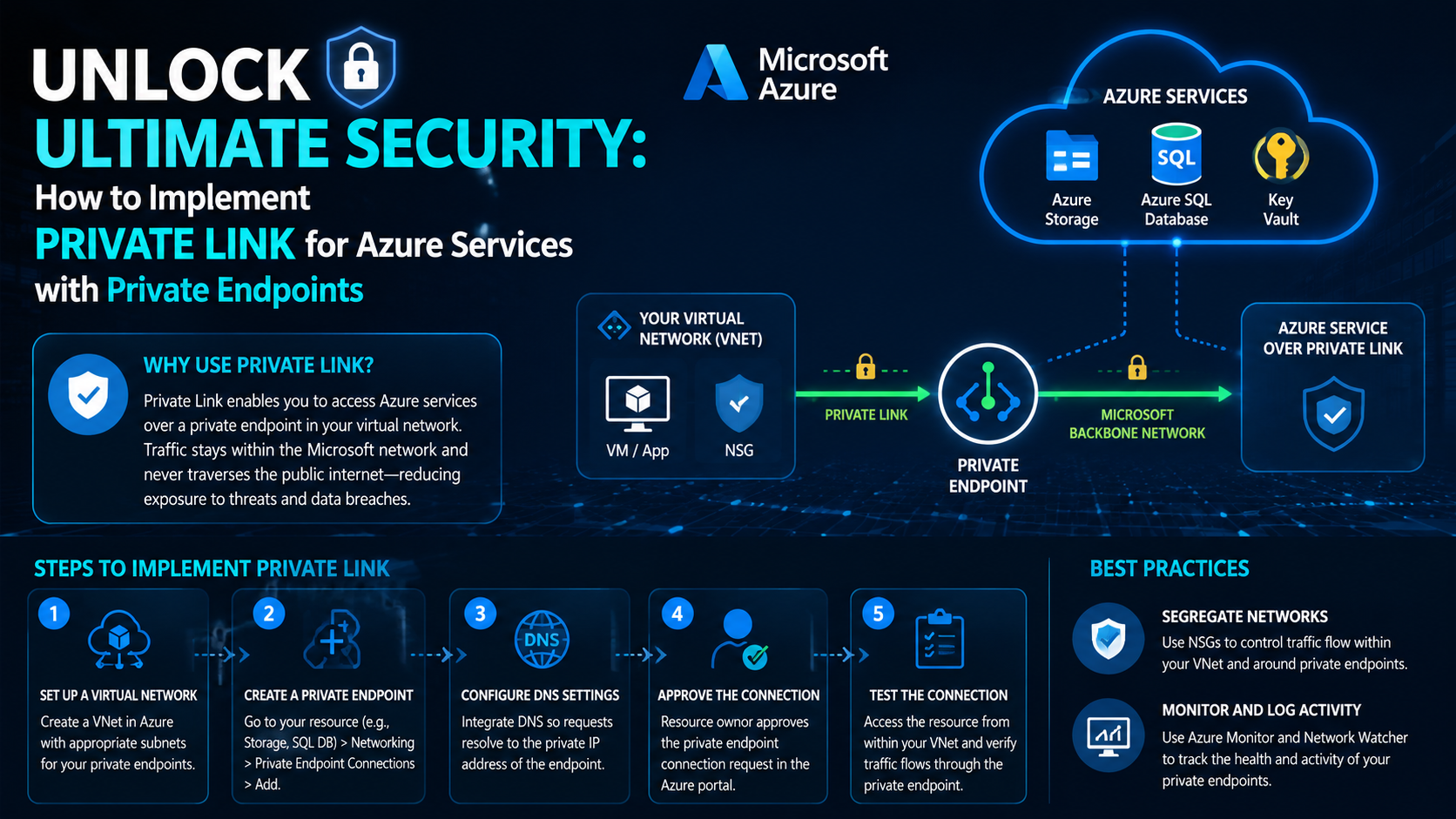
In today's digital age, securing your cloud infrastructure is paramount. Azure's Private Link offers a game-changing solution to enhance your security posture by enabling private access to Azure services. Here's a concise guide on how to implement Private Link and leverage private endpoints for improved security.
Advertisement
Why Use Private Link?
Private Link allows you to access Azure services over a private endpoint in your virtual network, ensuring that traffic remains within the Microsoft network and never traverses the public internet. This dramatically reduces exposure to threats and mitigates risks of data breaches.
Advertisement
Steps to Implement Private Link
- Set Up a Virtual Network: Start by creating a virtual network (VNet) in the Azure portal. Ensure the VNet has the appropriate subnets for your private endpoints.
- Create a Private Endpoint: Navigate to the resource you want to connect privately, such as Azure Storage or SQL Database. Select "Networking" and then "Private Endpoint Connections". Click "Add" to create a new private endpoint.
- Configure DNS Settings: Integrate your DNS with the private endpoint so that name resolution points to the private IP address. You can use your custom DNS solution to ensure that requests to the resource resolve to the private endpoint IP address.
- Approve the Connection: The resource owner needs to approve the private endpoint connection request. This can be done via the Azure portal under the resource's "Private Endpoint Connections" tab.
- Test the Connection: Verify the setup by accessing the resource from within your VNet. The traffic should now flow through the private endpoint, confirming a secure connection.
Best Practices
- Segregate Networks: Use network security groups (NSGs) to control traffic flow within your VNet and around the private endpoints.
- Monitor and Log Activity: Utilize Azure Monitor and Network Watcher tools to track the health and activity of your private endpoints, ensuring they are functioning as intended.
Advertisement
Advertisement